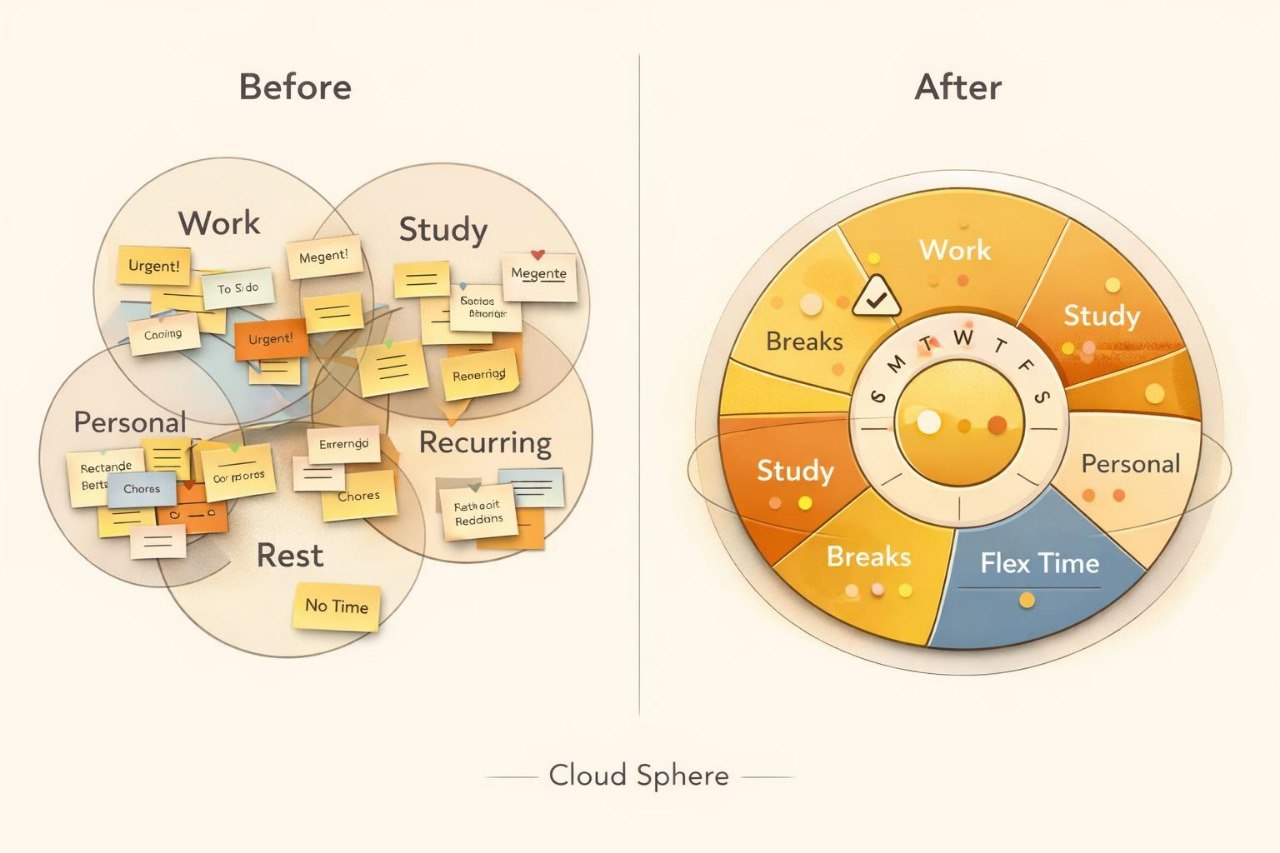
A Calmer Structure for Busy Days

We create materials that help learners examine their time, distribute tasks, and develop an individual working rhythm. Daylume presents planning through relatable examples, connected modules, and activities that can be adapted to different schedules.

  • Black circle with a white 'M' in the center
  • LinkedIn logo on a white background
  • GitHub logo with a black circle and white silhouette of a cat.

Born from Lists, Pauses, and Real Routines

Daylume began with the idea of bringing scattered lists, calendar entries, and everyday responsibilities into one connected system. Our team collected personal observations, task maps, and weekly planning methods, then developed them into courses for independent study.

  • Elva Ruiz

    Elva Ruiz

    Priority Mapping Analyst

    Elva organizes tasks according

    to relevance, duration, and

    dependencies. She creates visual

    maps that show the order of

    connected working stages.

  • Lucas Garrison

    Lucas Garrison

    Workflow Analyst

    Lucas studies how tasks move

    from planning to completion.

    He develops clear models for

    daily and weekly working cycles.

  • Sophie Williams

    Sophie Williams

    Focus Pattern Researcher

    Sophie studies how attention changes

    throughout a working day. She

    develops models combining

    concentration periods, pauses,

    and recurring reviews.

See How Daylume Courses Are Structured

Browse the Daylume course collection covering daily planning, working cycles, priorities, and multi-stage task organization. Each course explores a different layer of time management, from foundational scheduling to connected multi-week systems. Module descriptions help you compare subjects, material formats, and practical activities. Select Preview Courses to review the full collection and choose a suitable option.

  • A minimalist desk calendar with a cream-colored page, mustard yellow and tan square buttons, black spiral rings, and a dark gray base, shown on a plain white background.

    Personal Rhythm

    Study the modules

    at a suitable pace

    and return to relevant

    topics during practice.

  • A 3D geometric puzzle block or decorative tile with a cream-colored background, dark gray grid lines and dots, and orange and yellow accent panels, shown on a plain white background.

    Connected Plans

    Bring daily tasks, weekly

    directions, and recurring

    responsibilities together

    within one system.

  • Three minimalist vertical panels with rounded corners, shown on a white background. The center panel is mustard yellow, while the left and right panels are warm off-white.

    Working Materials

    Use maps, tables,

    templates, and

    activities to examine

    your current schedule.

  • A retro-style round stopwatch or timer with a cream-colored base and dial, black outer casing and hands, and orange and dark gray segmented face sections, shown on a plain white background.

    Offline Study

    Download the files to a

    compatible device and

    work with them without

    a continuous internet

    connection.

  • Stacy Randolph

    Stacy Randolph

    Stacy was trying to combine study, work assignments, and

    personal plans within one week. Separate lists did not show the

    complete workload, so several demanding activities often

    appeared on the same day.


    She found the circular weekly map, task-area grouping,

    and recurring workload-review format helpful.


    “I started viewing the week as one connected map

    and noticing overloaded days before they began.”

  • Milo Hartman

    Milo Hartman

    Milo combined his main work, personal responsibilities,

    and several recurring duties. His plans often looked full but

    did not account for breaks, transitions between tasks,

    or flexible time.


    He valued the weekly-map format, the time-block examples,

    and the explanations about realistic daily capacity.


    “The materials helped me leave room for changes instead

    of filling every open period with another task.”

30-Day Money-Back Guarantee

Try the course risk-free. If you're not satisfied for any reason, get a full refund. No questions asked. Refund requests may be submitted within 30 days in accordance with our Refund Policy.

  • A tablet device centered on a plain white background, displaying the Anchor Node logo or cover art on its screen. The screen shows a dark navy panel with the words 'Anchor Node' over a beige and yellow geometric design.
  • A black smartphone shown at an angle on a plain white background, displaying a digital map application interface titled 'Vault Map'.
  • A silver laptop on a white background, displaying a digital cover for a 'Trail Unit' lesson or guide with a black screen background and a colorful graphic featuring yellow, beige, and dark gray elements.

Start with Free Materials for Daily Planning

Begin exploring Daylume with free materials focused on daily planning and priority selection. The collection includes introductory explanations, short activities, and a worksheet for independent practice. The materials help you review your current schedule and notice which parts of the day may need a different arrangement. Download the collection and work through it at your own pace.